inspect
1. Check whether the power supply and other connecting wires are intact; Check whether the water in the water tank is lower than the pump body. If it is lower than the pump body, add water without passing through the pump body;
2. Check whether the operation table is clean and flat. If there is any foreign matter, it needs to be cleaned to avoid the impact of anti-collision knife or uneven materials on the engraving;
3. Check whether the tool is intact and locked; 2. Feeding
Materials shall be selected according to the color, thickness and material of the engraving pattern, placed on the worktable, aligned with the edge of the black bottom of the worktable, and locked with clips around. The locking position of the clips shall be 5mm at the edge of the materials, which shall not be greater than 5mm, so as to prevent knife collision.
Startup and typesetting
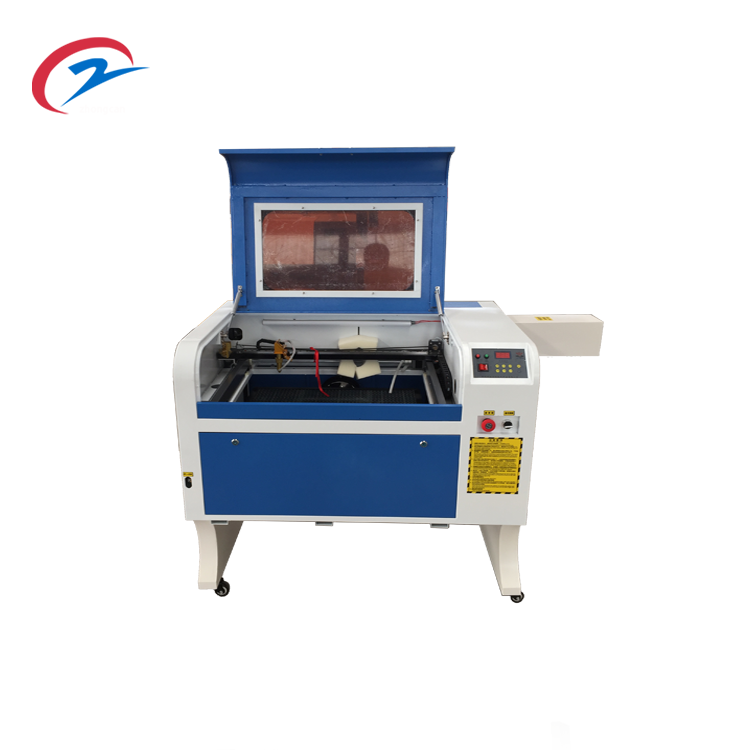
1. Turn on the main power supply of the plug-in board, turn on the computer, press the green button on the right side of the cabinet to turn on the engraving machine; Make sure that the water pump and engraving machine are started;
2. Typesetting: open Wentai 3D engraving software to create a new file, read the file and adjust the format as PLT. Select the PLT file to be engraved, adjust the pattern engraving position, and click “cut” (adjust the engraving depth according to the material thickness, 10mm, 5mm and 3mm) to confirm. At this time, the engraving path has been calculated for the picture, Then click “NC” to find and select the save path (generally save the desktop), change the * in front of the file name to a unique name, and save the returned interface. Click OK to save the engraving path.
Carve
1. Open the ncstudio control system, first click back to the workpiece origin and manually select the jogging distance (10mm, 5mm, 1mm) for each time. Click x +, y +, Z + and X -, Y -, Z – to fine tune the origin according to the actual situation and adjust the tool to be close to the engraving surface. Click the workpiece coordinate bar under the NC status bar to make the values of X, y and Z all be 0 000 ;
2. After adjusting the origin, click file uninstall, open and load the file, and select the saved * NC file; Click to start carving.
3. After engraving, click return to the workpiece origin to return the engraving machine to the origin.
matters needing attention
1. No one is allowed to stand in the working range of the trolley;
2. It is forbidden to place foreign matters on the worktable;
3. It is forbidden to touch the cutting tool by hand;
4. It is strictly prohibited to set or change other parameters without permission;
5. During the engraving process, the personnel shall stand next to the cabinet and observe the engraving progress and status. In case of any abnormality or danger, immediately press the red button on the right to stop the machine;
6. After engraving, the power supply of engraving machine and computer must be turned off, and the power supply of main plug-in board must be turned off;
7. After each operation, clean the worktable and surrounding powder with a vacuum cleaner.